Acer Aspire One D257 RAM Upgrade

The Acer Aspire One D257 is a capable netbook, but one of the choke points of the system is that it is supplied with 1Gb of RAM, this can be easily upgraded by the user to a maximum of 2Gb and this is one upgrade that I reccommend all users consider.

It is a fairly simple process that can be done without any issues by taking your time and being careful.  It isn’t like your desktop where the RAM upgrade is almost foolproof, here you will need to undone some very delicate clips and leads, my best advice is :

1.  Take your time.

2.  Don’t force anything, if it is isn’t going, it won’t go.

Then my next bit of advice is watch this video, it isn’t mine, but I used it and it is very good and well explained :

[youtube=http://www.youtube.com/watch?v=7DiBKaS1s80&w=560&h=315]

From this video you will see that this can be broken down into a number of simple parts…

Read more

Acer Aspire One D257 Netbook Windows 8 Installation

Acer Aspire One D257 Windows 8 Installation :

I have decided to add this as an individual post to make it easier for anyone looking for specific information in relation to installation of windows 8 on a netbook, so apologies for the double post.

They say it couldn’t be done! They say it wont work! I say, ‘Bring it on!’

Every one loves a challenge right? So here is the thing Windows 8 is out, I have it. It was on my Mac, I got rid of the Mac, so I had a licence of Windows 8. I wanted it on my netbook. It requires a minimum resolution of 768. My netbook has a resolution of 600. They say nothing will work, I say we will tell it to work!

If you are in the same position and have a 600 resolution netbook and would like to see what Windows 8 is like, it is entirely possible. The upscaled resolution would look completely polished but it is entirely usable and more importantly fully functional!

This machine comes with Windows 7 Starter Edition so the first thing to do is to make sure it is fully updated so run windows update.

– Now Install Windows 8 – as you would if upgrading any machine. Run the ‘Setup’ from the USB / media…Windows 8 will install.

 photo P1060939_zpsf6d3c1ac.jpg
 photo P1060936_zps960c811c.jpg

Read more

Acer Aspire One D257 – Unboxing and Windows 8 Installation

Recently whilst in the process of changing from my MacBook Pro to an iMac I went through a stage of being ‘computerless.’  In today’s modern era that’s just not an option!  Couple this with a recent holiday to America during which I borrowed a friends netbook to use as a storage device for the bucket loads of photos and videos I took and found it to be a brilliant little device for this purpose.  Every traveller should consider taking a netbook with them, couple with a portable HDD for backups it is the perfect solution for storing and viewing a large amount of photos.  You can then obviously do basic editting, emailing etc, and the storage options you have are much greater than say for example a 16Gb or even 64Gb iPad.  A netbook will have for example 320Gb of storage and a 1Tb portable drive can be picked up for reasonably sensible money now.  Anyway I digress.  I picked up a brand new net book on gumtree for the handsome of £100.  The Spec of the Acer Aspire One is as follows :

Read more

D-Link USB 2.0 7 Port Hub Unboxing & Important Mac Related Notes

Whilst I was still using my MacBook Pro I had also been using a USB Hub, although due to power restraints I had to upgrade to a Powered Hub.  After a little research the D-Link 7 USB 2.0 Powered Hub seemed to be the way forward.  I ordered it up and upon its arrival I plugged in it, stuck in in the MBP and now had an extra six USB 2.0 Hubs to play with.

On this machine it worked flawlessly, never missing a beat, my machine didn’t have USB3.0 so that wasn’t an issue and this hub happily powered four HDDs (2 of which were powered, 2 were portable).  It also worked whilst syncing my iphone / ipad and camera.  No complaints whatsoever on this machine.

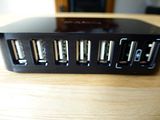
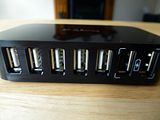
This specific Hub also has two ports which are dedicated to charging.  They are ports six and seven, and if your machine is powered down but the hub is still on (via the wall socket) you can use ports six or seven to charge your phone / tablet etc.  It does not charge whilst the machine is in use.

For reference the machine this Hub was being used with was a Early 2011 MackBook Pro i7 2.2GHz (1Gb Graphics), 8Gb RAM, USB 2.0 with a Apple Cinema Display attached via Thunderbolt.

Then came the problems.  I upgraded my computer to an iMac.  It was at this point that this hub stopped working.

Again for reference the machine it was being used with was a late 2013 27″ iMac i7 3.5Ghz, (4Gb NVIDIA Graphics), 8Gb RAM, USB 3.0.

In this set up I used 3 of the 4 USB 3.0 ports on the rear of the machine to deal with three USB  3.0 hard drives (2 portable and one powered).  The forth port was used to power the D-Link Hub.  At this point only 2 hard drives were being used in it (both themselves powered desktop drives).  This is when things started to fail.  Both drives would mount momentarily, then disconnect with errors, mount -> disconnect and repeat!  If you removed one drive the other mount successfully (either drive).  Either drive would successfully mount via the USB ports to the rear of the machine.

For some reason when both drives were plugged into this port things failed.  My only option was to bin the hub and try again with a new one.  A quick Google search for USB hub problems with an iMac do tend to suggest that this is an issue with many hubs and the power they require as opposed to what they actually supply.

As expected customer service from Amazon was excellent and a new hub was ordered.

D-Link USB 2.0 Hub Gallery :
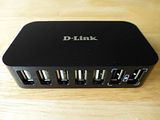
 photo P1060942_zpsc5fe901b.jpg photo P1060943_zps4f818770.jpg photo P1060944_zps89b6b93a.jpg
 photo P1060945_zps9768d75f.jpg photo P1060946_zpsb2864991.jpg photo P1060947_zps7521b0f3.jpg
 photo P1060948_zps7af84db3.jpg

Griffin Protector Case Unboxing and Quick Thoughts

This isn’t so much of a review as more of an initial quick thought post.

I purchased this case as a quick installing silicon case for my iPhone 5s, at this stage such cases specific to the iPhone 5s are pretty scarce, so this case is one that has been in production since the iPhone 5. There is no functionality for the Touch ID fingerprint sensor, but other than that everything else is perfectly functional. All ports are accessible and the camera cut out works well, both with and without flash.

I won’t dwell on this case too much by simply stating the obvious, this is a silicon case, it has reinforced corners offering a good degree of drop and bump (or as it says on the packaging ‘jolt) protection.

It is face safe in that the edge of the case around the screen ensures the screen itself does not come in contact with a flat surface, should it be placed screen down on one.

I like silicon cases for the protection they offer, although like most such cases there are a few negatives.

– This case catches dust and dirt – a lot. Even in the unboxing images this is cleary evident, remember at this stage this case has been out of its packaging for mere seconds…

 photo P1070541_zpsf1f05c8e.jpg

– With only one application there was evidence of stretching…

Read more